Zoho Desk comparison | Updated August 2026

Zoho Desk vs Hesk

Looking for a Zoho Desk alternative? Hesk may fit teams that want a focused ticket system, self-hosting or flat Cloud pricing. Zoho Desk is a better choice when the support plan depends on omnichannel messaging, telephony, advanced automation, AI or close integration with other Zoho products.

  • Free self-hosted option
  • Flat Hesk Cloud pricing
  • Official support available
21+ years Hesk development since 2005
1,000,000+ Hesk downloads reported
Free or Cloud Run Hesk yourself or use Hesk Cloud

Why teams look at Hesk instead of Zoho Desk

Zoho Desk already competes well on price. Hesk is different because it offers a simpler ownership model and a self-hosted path.

When Zoho Desk may fit better

Zoho Desk offers a broader service platform at prices that remain competitive with many SaaS rivals.

  • Omnichannel messaging and telephony
  • Blueprint process management
  • Zia AI and advanced analytics
  • Deep Zoho ecosystem and marketplace
Zoho Desk is a strong product. Hesk is the better alternative only when deployment control, flat pricing or a narrower ticket-focused system matters more than the extra channels and automation.

Compare the edition your team would actually use

Zoho Desk has a useful free tier and several paid levels. Hesk offers a self-hosted path and flat managed plans.

Option
Hesk
Zoho Desk
Start free
Hesk FreeUse Hesk on your own PHP and MySQL server without a recurring software fee or per-agent software limit. You manage the server, updates, email and backups.
Zoho Desk FreeA hosted edition for up to three users with basic email ticketing. It is a practical starting point for a very small team that does not need paid-plan channels and automation.
Lower-cost paid service
Hesk License or CloudA one-time $49.99 license adds official support to self-hosted Hesk. Hesk Cloud starts at $299 yearly for up to 10 agents.
Zoho Desk ExpressStarts at $7 per agent per month when billed annually. It adds multiple email channels, social support, web forms, assignment, workflows, custom domain and escalations.
Core service platform
Hesk CloudManaged hosting, updates, HTTPS and backups with flat plans for 10, 50 or 200 agents.
Zoho Desk Standard$14 per agent per month billed annually. It adds business messaging, instant messaging, knowledge base, community, generative AI through a connected OpenAI key, work modes, customer satisfaction and custom reports.
Advanced service platform
Hesk Cloud Pro and MAXHigher limits plus escalation, surveys and recurring tickets across the higher Hesk Cloud plans.
Zoho Desk Professional and EnterpriseProfessional adds telephony, Blueprints, multiple departments, round-robin routing, multilingual help centers, parent-child tickets and webhooks. Enterprise adds Zia, AI agents, skill routing, multi-brand help centers, custom modules and sandbox.
The main difference: Zoho Desk gives you more channels, automation and ecosystem depth. Hesk gives you more control over hosting and can be easier to own when those broader capabilities are not needed.

Zoho Desk vs Hesk, feature by feature

This is a closer comparison than price alone suggests. Zoho Desk is affordable and capable, while Hesk is more focused and can be self-hosted.

AreaHeskZoho Desk
Core ticketingEmail and web tickets, categories, priorities, custom statuses, assignments, due dates, notes, canned replies, templates, followers, time tracking, attachments and full history.
Strong core ticketing
Email, web forms, social tickets, statuses, priorities, departments, assignments, threads, comments, activities, attachments and full customer context.
Ease of setupA smaller set of support settings and modules. Teams can usually configure categories, forms, mail and permissions quickly.
Less to configure
Designed to be approachable, but paid editions add channels, departments, automations, layouts, Blueprints, AI and marketplace decisions.
Ticket views and filtersDetailed filters by category, status, priority, owner, assignment, date and due status, plus quick views for assigned and overdue work.Predefined and custom views, work modes, criteria, filters and department-specific organization provide more operational options.
Stronger in Zoho Desk at scale
Forms and custom fieldsSeveral field types that can be public or private, required or optional, reordered, pre-populated and tied to selected categories.
Flexible without a premium tier
Custom fields, layouts, lookup fields, custom modules and field-level controls support deeper data modeling on higher plans.
Stronger for complex models
Customer portal and knowledge baseCustomer accounts, ticket tracking and a built-in knowledge base are included in Hesk.Branded help center with tickets, knowledge base, community, AI assistance and the ASAP web or mobile widget across different editions.
Broader self-service platform
Automation and process controlCategory auto-assignment, custom statuses, due dates, overdue notices, auto-close, templates and Cloud escalation tools.Workflows, direct assignment, multi-level escalations, SLAs, round robin, skills, Blueprints and custom actions across paid editions.
Better in Zoho Desk
AINo built-in AI agent or generative assistant.Standard can connect an OpenAI key for generative features. Enterprise adds Zia, answer bot, field prediction, sentiment, anomaly detection and AI agents, with availability varying by region.
Better in Zoho Desk
Chat, messaging and socialFocused on email and web ticket support.Business Messaging, WhatsApp, Instagram, Messenger, Telegram, WeChat, Line, social channels and live chat are available across paid editions and related Zoho services.
Better in Zoho Desk
TelephonyNo built-in call-center platform. Phone requests can be entered manually as tickets.Professional adds telephony integrations, call handling, recordings and IVR options through supported providers and higher features.
Better in Zoho Desk
Mobile accessResponsive web interface for agents and customers.Native iOS and Android apps with ongoing mobile-specific development.
Better in Zoho Desk
Reports and analyticsBuilt-in reports, exports, statistics, time tracking and reply ratings.Custom reports and dashboards from Standard, plus deeper analytics, happiness tracking, work modes and AI insights on higher tiers.
Stronger in Zoho Desk
Integrations and ecosystemSelf-contained help desk with customizable source and templates, but no large marketplace.Marketplace, REST APIs, webhooks, private extensions and close integration with Zoho CRM, Workplace, Projects, Analytics and other Zoho apps.
Better in Zoho Desk
Deployment and data locationSelf-host or choose Hesk Cloud in the US, EU or Australia.
Self-hosting available
Hosted SaaS with Zoho data centers in the US, Europe, India, Australia, Japan, Canada, Saudi Arabia and other supported regions.
More cloud regions
PricingFlat Hesk Cloud plans and a free self-hosted edition without per-agent software fees.
Better value for larger teams
Free for three users, then Express from $7, Standard $14, Professional $23 and Enterprise $40 per agent per month billed annually.
Strong low-cost entry
SupportOne-time self-hosted license includes one year of email support. Hesk Cloud includes managed service and support.Classic support is included with paid editions. Premium and Enterprise support plans are available as a percentage of subscription fees.
Good options in both
Data export and migrationSelf-hosted database can be backed up directly.Module exports provide CSV records. A full Data Backup is needed for email threads, attachments and broader help desk content.
Full backup matters when leaving

Hesk Cloud flat pricing versus Zoho Desk Standard

Move the slider to compare Hesk Cloud with Zoho Desk Standard at $14 per agent per month, billed annually.

How many support agents do you need?

Hesk Cloud selects the smallest yearly plan that includes your team. Zoho Desk Standard is calculated at its current annual-billing rate.

Hesk Cloud yearly$299.00Cloud plan | up to 10 agents
Zoho Desk Standard yearly$1,680.00$14 per agent per month, billed annually

Annual list prices before applicable taxes. This compares base subscriptions only. Features, limits, channels, AI and support services differ.

Very small teams have cheaper Zoho options: Zoho Desk Free supports up to three users, and Express starts at $7 per agent per month. Standard is used here because it adds the knowledge base, business messaging and custom reports that make it a closer comparison for many Hesk buyers.

When Hesk is the better buy

Hesk is most useful as a Zoho Desk alternative when the organization values control and focus more than channel breadth.

When Zoho Desk is worth the extra platform depth

Choose Zoho Desk when the broader channels, automation and ecosystem will be used regularly.

  • Zoho ecosystem: CRM, Workplace, Projects, Analytics or other Zoho apps need native links to support.
  • Omnichannel support: messaging, social, live chat and telephony belong in the same workspace.
  • Process enforcement: Blueprints, advanced SLAs, routing and multi-department workflows are important.
  • AI and analytics: Zia, AI agents, sentiment and advanced reporting have a clear business case.
  • Mobile operations: native agent apps are required.
  • Multi-brand or enterprise controls: custom modules, sandbox and complex organization structure are needed.
A useful test: list the Zoho Desk channels and advanced modules your team will use every week. If the list is short, Hesk may cover the work with less administration and lower multi-agent cost.

Hesk is not a smaller copy of Zoho Desk

Hesk deliberately leaves out several areas where Zoho Desk is strong.

Test Hesk carefully when

  • WhatsApp, Instagram, Messenger, Telegram, WeChat or Line must be handled natively.
  • Telephony, IVR or call-center workflows belong inside the help desk.
  • Blueprint process control, multiple departments or skill-based routing are required.
  • Zia AI, AI agents, sentiment analysis or anomaly detection are part of the plan.
  • The organization relies on Zoho CRM, Workplace, Analytics or the Zoho marketplace.

If the first list describes your support operation, Zoho Desk is likely the better product.

Think twice about Zoho Desk when

  • You need a self-hosted help desk or direct database access.
  • Many staff need access and per-agent pricing matters more than extra channels.
  • The team mainly handles email and web tickets and wants fewer configuration layers.
  • Official support for a self-hosted installation should remain inexpensive.
  • You want to avoid dependency on a wider software ecosystem.

Do not confuse more channels with a better help desk

Zoho Desk offers impressive breadth. The question is whether that breadth improves your actual support process.

The free plan makes Zoho Desk cheaper for every team

It is excellent for up to three users with basic needs. Once the team moves to paid editions, Hesk Cloud can be less expensive from two Standard agents upward.

Self-hosting is automatically cheaper

There is no recurring software fee, but the organization pays for server time, updates, backups, monitoring and troubleshooting. Hesk Cloud is the better Hesk option when that work is not available.

Advanced automation always saves time

Blueprints and routing help when the process is stable and someone owns the rules. For a small queue, too much automation can make ordinary changes slower.

A large ecosystem is always an advantage

It is valuable when the organization already uses Zoho or needs many integrations. A self-contained Hesk setup can be easier when support should remain independent.

What should different teams choose?

Zoho Desk has a strong entry plan, while Hesk becomes more attractive as deployment control and team size matter.

Three-person team with basic email support

Zoho Desk Free is hard to beat on convenience. Hesk Free may still fit if the organization wants self-hosting and has server capacity.

Five-person support team

Compare Hesk Cloud with Zoho Desk Standard. Hesk will usually cost less and may cover the full job if the team does not need messaging or advanced automation.

Company already using several Zoho apps

Choose Zoho Desk. The native ecosystem and shared data are likely worth more than Hesk deployment flexibility.

Internal IT or operations desk

Start with Hesk. Private fields, categories, permissions, due dates, customer accounts and filters cover many internal request processes.

Customer service across messaging and phone

Choose Zoho Desk. Hesk does not replace its instant messaging, live chat, telephony and omnichannel tools.

Organization with strict infrastructure control

Choose Hesk self-hosted if the requirements support it. Zoho offers many data centers, but Hesk gives direct control over the server and database.

Hesk offers a deployment choice that Zoho Desk does not

Zoho Desk is managed SaaS. Hesk can run on your infrastructure or in Hesk Cloud. The self-hosted option creates control, but it also creates work.

  • Provide and secure PHP and MySQL hosting
  • Install Hesk and apply updates
  • Configure SMTP, IMAP, POP3 or email piping
  • Set up OAuth for Microsoft 365 or Google where required
  • Run scheduled jobs and monitor them
  • Create backups and test restoration
  • Plan integrations that Zoho Desk would otherwise provide

Test Hesk before leaving Zoho Desk

Use one department or queue first. Zoho Desk may contain more channels, fields and process rules than need to be carried forward.

List the active Zoho Desk features

Record departments, layouts, fields, Blueprints, SLAs, channels, help center content, reports, extensions and Zoho integrations that staff still use.

Build a Hesk pilot

Create matching categories, forms, permissions, customer accounts and ticket views. Test email import, replies, due dates, attachments and notifications.

Request the right export

Zoho module exports contain CSV records. A full Data Backup is needed for email threads, attachments, knowledge base content and other data. Confirm availability and timing before the move.

Run a controlled cutover

Keep Zoho Desk available, switch one mailbox or form, and verify new tickets, historical access and customer communication before moving the rest.

Do not rely on a ticket CSV for full history. Zoho documentation distinguishes module export from a Data Backup that contains threads, attachments and broader help desk data.

See whether Hesk covers your daily work

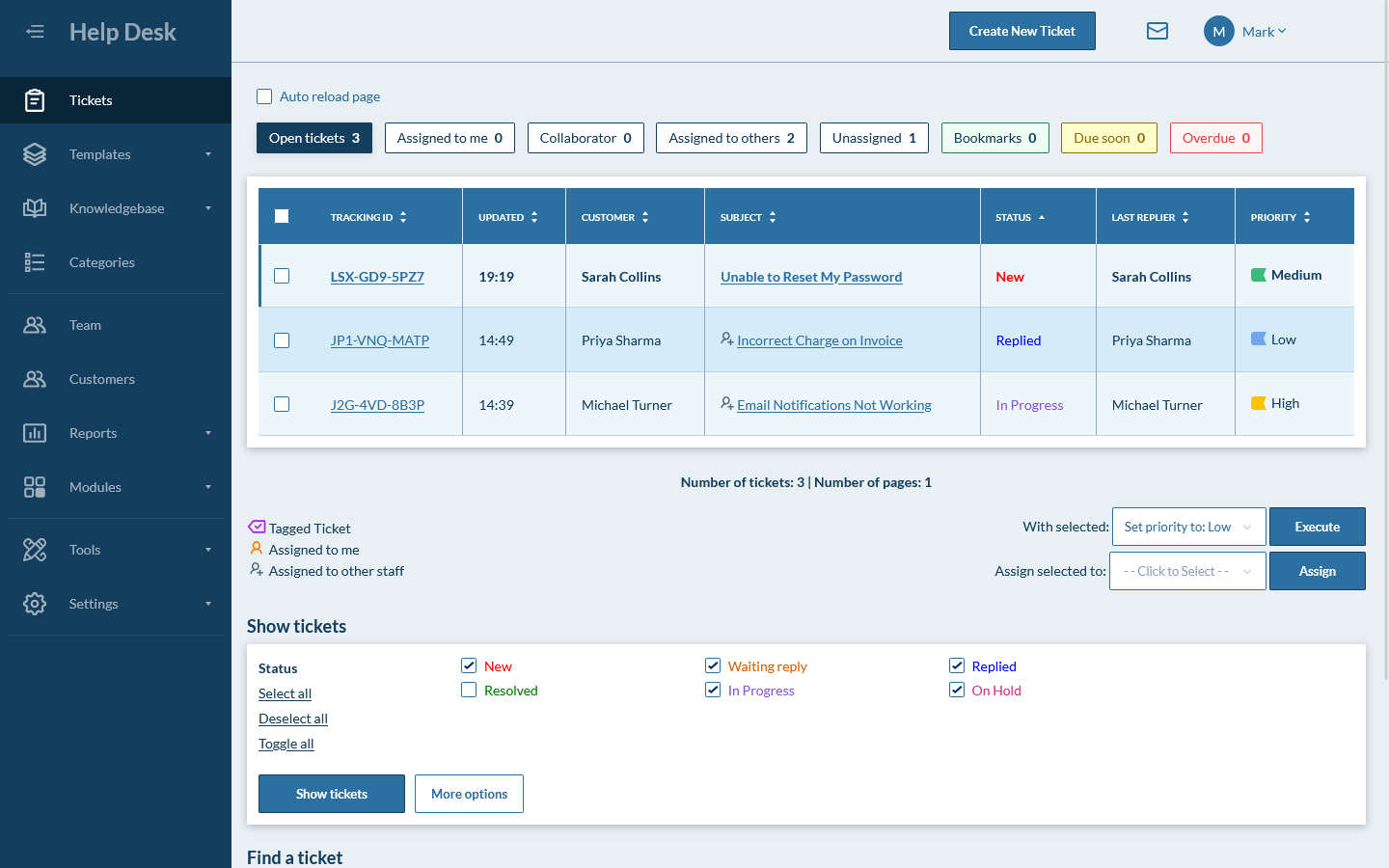
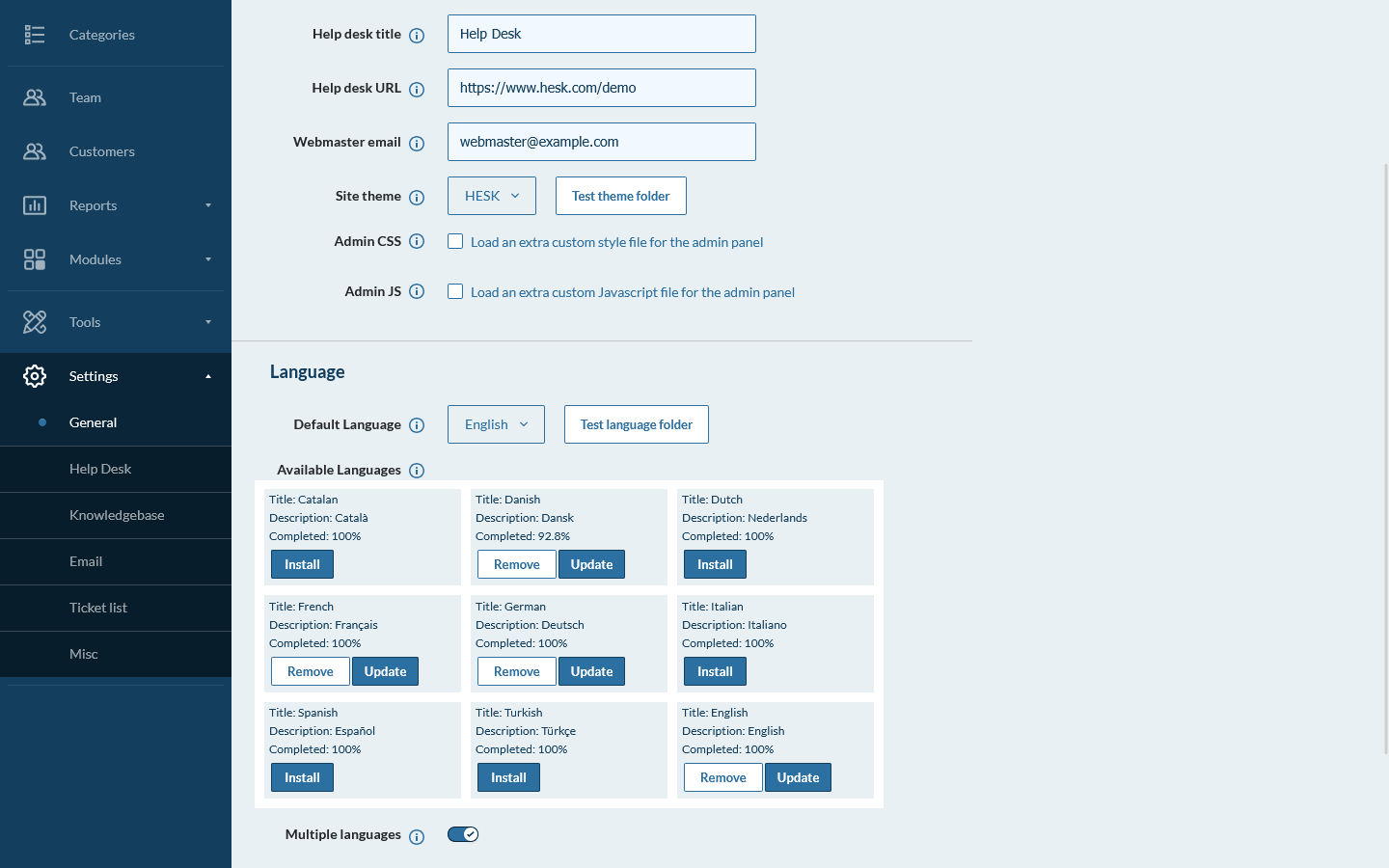
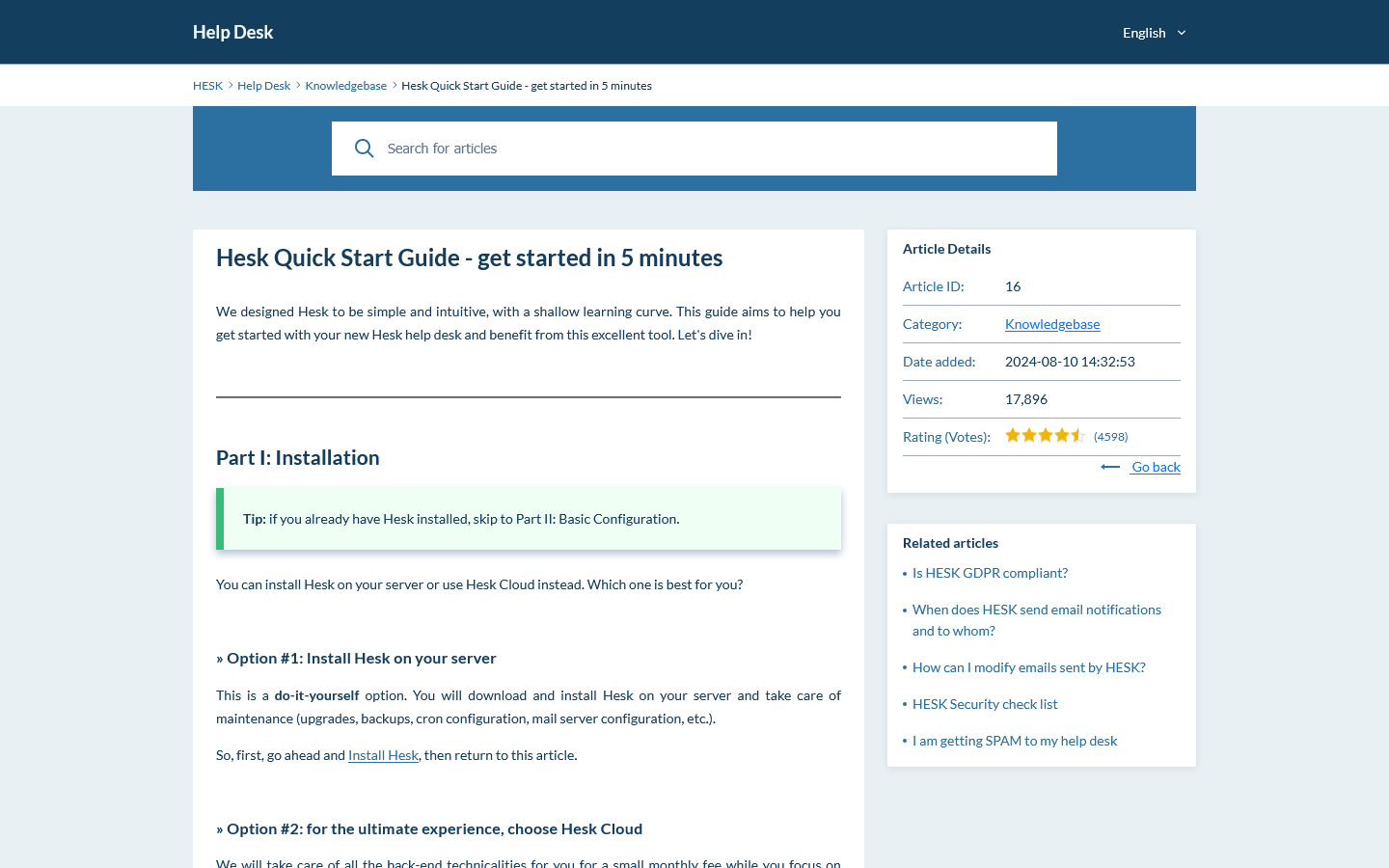
Preview the ticket queue, settings and customer knowledge base. Then use the live demo to test filters, forms and staff permissions.

Zoho Desk vs Hesk questions

Answers to common questions about pricing, self-hosting, automation, AI, channels, support and migration.

Is Hesk a good Zoho Desk alternative?

Yes, when the team wants a focused ticket system, flat multi-agent pricing or a self-hosted option. Zoho Desk is the stronger choice when omnichannel messaging, telephony, AI, Blueprints, multiple departments, mobile apps or the wider Zoho ecosystem are important.

Which costs less, Hesk Cloud or Zoho Desk?

Zoho Desk has a free plan for three users and an Express plan that can be cheaper for very small teams. Zoho Desk Standard is $14 per agent per month when billed annually. Hesk Cloud uses flat plans and has a lower base subscription than Standard from two agents upward. The plans have different features, so compare the edition you would actually use.

Does Zoho Desk have a free plan?

Yes. Zoho Desk offers a free edition for up to three users with basic email ticketing. Hesk Free can be used on your own PHP and MySQL server without a recurring software fee and does not use a three-user software limit.

Can I self-host Hesk or Zoho Desk?

Hesk can be installed on your own server or used through Hesk Cloud. Zoho Desk is a hosted cloud service and does not offer a self-hosted edition.

Which is easier to set up, Hesk or Zoho Desk?

Hesk has fewer modules, channels and plan-based features, which can make it faster to configure for straightforward support. Zoho Desk is also designed to be approachable, but its departments, channels, automations, Blueprints, AI, marketplace and Zoho integrations create more choices.

Which is better for forms and custom fields?

Both are capable. Hesk provides several field types that can be required, private, category-specific and pre-populated. Zoho Desk provides deeper layouts, modules, lookup fields and process customization on higher plans.

Which is better for automation and SLAs?

Zoho Desk is stronger for advanced automation. It offers workflows, assignment rules, multi-level escalations, SLAs and, on Professional, Blueprints and round-robin assignment. Hesk covers common workflows with categories, assignments, statuses, due dates, notices and Cloud escalation tools.

Does Hesk have AI, chat, social messaging or telephony?

No. Hesk focuses on email and web ticket support. Zoho Desk supports business messaging, social channels, telephony, live chat and Zia AI across different editions and regions.

Which is better if we already use Zoho apps?

Zoho Desk is usually the stronger choice because it connects closely with Zoho CRM, Workplace, Analytics, Projects and other Zoho services. Hesk is a separate help desk and does not try to replace that ecosystem.

Can I buy official support for self-hosted Hesk?

Yes. Hesk Free can be used on your own server. An optional one-time Hesk License removes Hesk branding and includes one year of official email support for the core software.

Can I migrate from Zoho Desk to Hesk?

There is no public one-click Zoho Desk importer for Hesk. Zoho Desk module exports produce CSV records, while a full data backup includes email threads, attachments and other help desk data. Confirm that you can obtain the needed backup, test the data with Hesk and keep Zoho Desk available during the transition.

Official product information used for this comparison

Pricing and features can change. Check the official pages before making a purchase, planning a migration or completing a security review.

Try Hesk before committing to a larger service platform

Use the live demo with your forms, filters and ticket workflow. If Hesk covers the daily work, you can self-host it or choose managed Hesk Cloud.